Best VPNs for Privacy in 2026: Security & No-Logs Guide
Compare the best privacy VPNs for 2026 by audits, jurisdiction, protocols, device limits, and real tradeoffs. See when NordVPN, Proton VPN, or Surfshark fits.
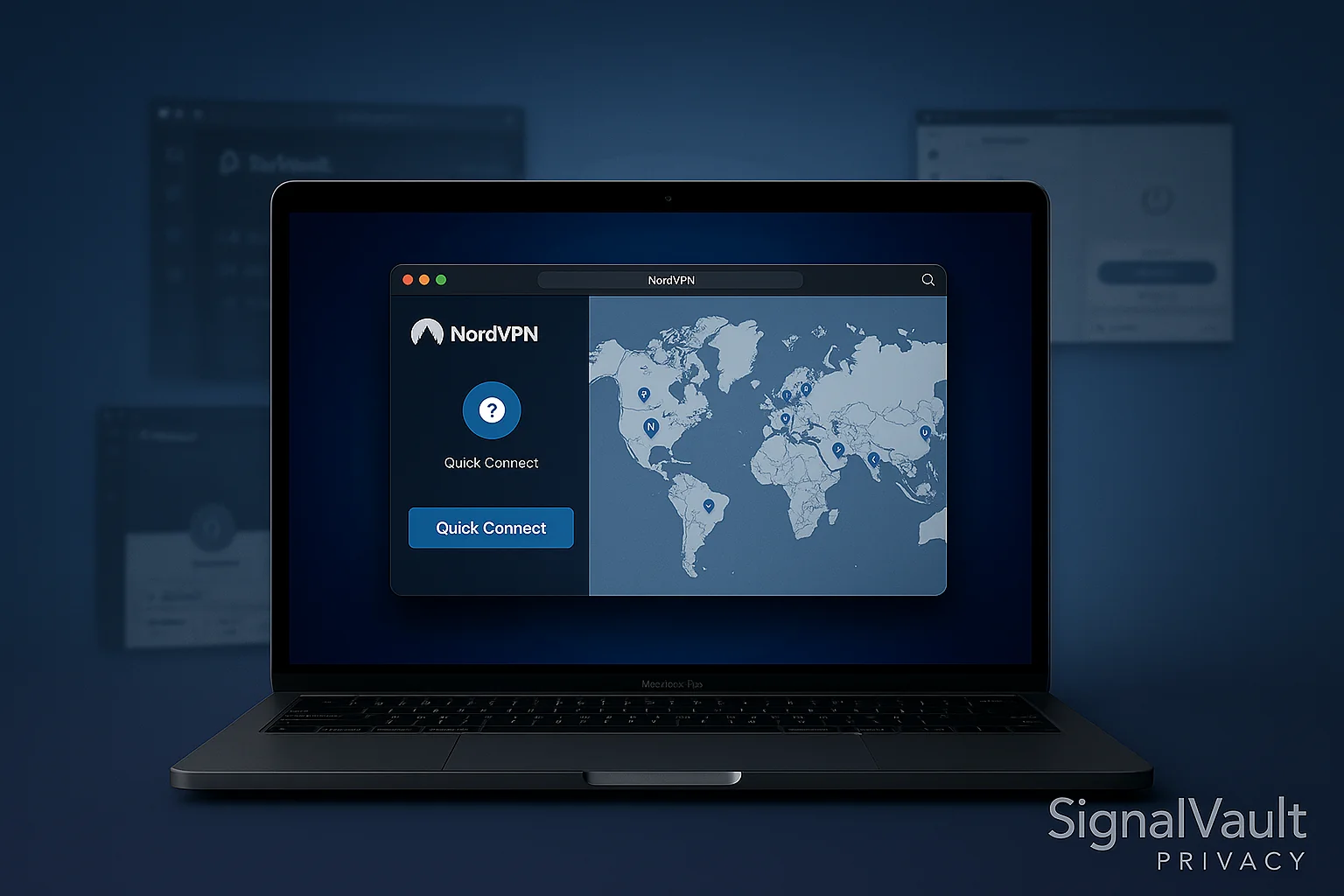
Vpn Comparison
Compare key features and pricing to find the best option for your needs
| Feature | NordVPN | ProtonVPN | Surfshark |
|---|---|---|---|
| Jurisdiction | Panama | Switzerland | British Virgin Islands |
| Server Network | 5500+ in 60 countries | 8600+ in 112 countries | 3200+ in 100 countries |
| Encryption | AES-256 | AES-256 | AES-256 |
| Simultaneous Devices | 6 simultaneous | 1 free, 10 paid | Unlimited |
| Rating | | | |
| Price | $3.99/month | $3.59/month | $2.49/month |
Finding the best VPN for privacy in 2026 is harder than it should be. Most VPN pages bury the answer under generic feature lists, but the real decision is simpler: choose the service that fits your risk level, devices, budget, and trust requirements.
For most readers, NordVPN is the best overall pick because it balances speed, privacy tools, streaming support, audited no-logs claims, and broad everyday usability. Proton VPN is the better fit if you want the strongest privacy ecosystem and Swiss jurisdiction. Surfshark is the best value choice if you need unlimited devices for a household.
Quick verdict
The best VPN for most privacy-conscious users is NordVPN
Choose NordVPN if you want one VPN that covers everyday privacy, travel, streaming, public Wi-Fi, and up to 10 devices without much setup friction. Choose Proton VPN if privacy ecosystem and transparency matter more than price. Choose Surfshark if the main problem is protecting unlimited devices affordably.
| Best for | Pick | Why |
|---|---|---|
| Most people | NordVPN | Fast, audited, beginner-friendly, and strong enough for public Wi-Fi, streaming, and everyday privacy. |
| Privacy purists | Proton VPN | Swiss jurisdiction, open-source apps, transparency focus, and a broader Proton privacy stack. |
| Families and many devices | Surfshark | Unlimited device connections and strong value if you need to cover phones, laptops, tablets, and TVs. |
| Simple premium streaming | ExpressVPN | Polished apps and broad location coverage, but usually a more expensive choice. |
Quick Picks: Best VPNs by Category
- Best overall VPN: NordVPN - best balance of privacy, speed, apps, and streaming reliability
- Best privacy-first VPN: Proton VPN - Swiss jurisdiction, open-source apps, and strong transparency posture
- Best value VPN: Surfshark - unlimited devices at a lower long-term price point
- Best simple premium VPN: ExpressVPN - polished apps and broad location support
- Best anonymity-first VPN: Mullvad - flat pricing and minimal account information
- Best free VPN: Proton VPN - generous free tier from a privacy-focused provider
Privacy stack test
A VPN is the first layer. Add email and password protection next.
If you are already comparing VPNs, the highest-impact next step is usually a full privacy stack: VPN for network privacy, secure email for account identity, and a password manager for login security.
Start with VPN
Best when public Wi-Fi, travel, ISP visibility, or streaming access is the main problem.
Check NordVPN deal →Add secure email
Best when you want less tracking, better aliases, and cleaner account separation.
Compare secure email →Protect logins
Best when reused passwords, family sharing, or breach alerts are the bigger risk.
Compare password managers →Why You Need a VPN in 2026
If you’re new to VPNs, you might wonder why they’re still recommended. A VPN is not magic privacy dust, but it is useful for a few specific jobs:
Secure Your Connection
A VPN encrypts all data between your device and the VPN server. On public Wi-Fi, this is still useful: it reduces the risk of local network snooping and makes it harder for bad actors on the same network to inspect your traffic.
Privacy from ISP and Governments
Your Internet Service Provider can typically see every website you visit and service you use. Many ISPs log this data, and in some countries, they even sell it or hand it to governments upon request. A VPN stops this by only letting the ISP see an encrypted tunnel – they can’t decipher the contents or final destination.
Bypass Geo-Restrictions and Censorship
Whether you want to watch a show only available in another country or access social media in a country that censors it, a VPN can route your connection through a server in a location that grants you access. It effectively makes it appear as if you are browsing from that server’s region.
Prevent Tracking
Without a VPN, your IP address is visible to every website you visit. Advertisers and trackers use this along with cookies to build profiles on you. With a VPN, your IP is hidden behind the VPN server’s IP, so websites see the VPN’s identity instead of yours – reducing one major data point they could use to track you.
In short, a VPN is best understood as a practical privacy layer: it protects your connection from local networks, reduces IP-based tracking, and helps when location or censorship gets in the way. It does not replace a password manager, secure email, two-factor authentication, or common sense.
VPN Comparison Table
| Feature | NordVPN | Surfshark | ExpressVPN | CyberGhost | Private Internet Access | Proton VPN | Mullvad |
|---|---|---|---|---|---|---|---|
| Best fit | Best overall | Best value | Simple premium apps | Streaming beginners | Advanced users | Privacy ecosystem | Anonymity |
| Network reach | Very broad | Broad | Broad countries | Broad | Broad | Very broad | Smaller |
| Privacy stance | Audited no-logs | Audited no-logs | Audited no-logs | No-logs | Open-source apps | Swiss, open-source | Minimal account data |
| Devices | Up to 10 | Unlimited | Up to 14 | 7 | Plan dependent | 1-10 | Multiple |
| Streaming | Excellent | Excellent | Excellent | Excellent | Good | Good | Limited |
| Torrenting | ✓ | ✓ | ✓ | ✓ | ✓ | ✓ | ✓ |
| No-Logs | ✓ | ✓ | ✓ | ✓ | ✓ | ✓ | ✓ |
| Kill Switch | ✓ | ✓ | ✓ | ✓ | ✓ | ✓ | ✓ |
| WireGuard | ✓ | ✓ | ✗ | ✓ | ✓ | ✓ | ✓ |
| Audited | ✓ | ✓ | ✓ | ✓ | ✓ | ✓ | ✓ |
Best VPNs by Use Case
The best VPN for privacy is not always the same VPN for every person. A traveler on hotel Wi-Fi, a family covering many devices, and a privacy purist comparing Swiss and Panama-based providers are solving different problems. Use these quick-fit sections to narrow the list before you choose a plan.
Best VPN for Public Wi-Fi
For coffee shops, airports, hotels, coworking spaces, and school networks, choose a VPN that is fast to connect, has a reliable kill switch, and uses modern protocols like WireGuard or a WireGuard-based option.
Best pick: NordVPN. It is the easiest default recommendation for public Wi-Fi because the apps are beginner-friendly, speeds are strong, and the privacy features do not require much setup.
Also consider: Proton VPN if you already use Proton Mail or want a privacy-first ecosystem, and Surfshark if public Wi-Fi protection is only one part of covering a large household.
Best VPN for Families and Many Devices
If your main problem is covering phones, laptops, tablets, smart TVs, and travel devices, device limits matter almost as much as raw speed. A household VPN should also be simple enough that non-technical family members will actually use it.
Best pick: Surfshark. Unlimited device connections make it the cleanest fit for families, roommates, and anyone who wants one subscription across many screens.
Also consider: NordVPN if you want a stronger overall privacy and performance package and do not need unlimited device coverage.
If you are choosing specifically between those two, use our NordVPN vs Surfshark comparison to decide whether NordVPN’s stronger all-around privacy package or Surfshark’s unlimited-device value is the better fit.
Free VPN vs Paid VPN
Free VPNs can be useful for occasional privacy needs, but they are rarely the best long-term answer. The usual tradeoffs are limited locations, slower speeds, streaming blocks, fewer devices, and weaker support.
If you only need a trustworthy free option, Proton VPN is the safest place to start because it comes from a privacy-focused company and has a legitimate free tier. If you use a VPN regularly, a paid VPN is usually the better value because it adds speed, server choice, multi-device support, and better reliability.
For a deeper breakdown, read our free VPN vs paid VPN guide.
NordVPN vs Proton VPN vs Surfshark
These three providers cover the most common privacy-shopping paths:
- NordVPN: best overall balance for most people who want privacy, speed, streaming, travel protection, and polished apps.
- Proton VPN: best fit for privacy purists who value Swiss jurisdiction, open-source apps, and the broader Proton privacy ecosystem.
- Surfshark: best fit for families, many devices, and value-focused users who still want a serious VPN.
If you are deciding between only two providers, start with our NordVPN vs Surfshark comparison or our Proton VPN vs NordVPN comparison.
Top VPN Providers for 2026
We compare current provider documentation, published audit or assurance work, protocols, app support, jurisdiction, device limits, and plan tradeoffs. We do not publish a lab score or claim hands-on tests that we have not documented.
1. NordVPN – Best Overall
Privacy & Security: NordVPN sets the bar high with its security. It’s based in Panama, outside surveillance alliances, and keeps a strict no-logs policy that has been verified by independent audits. NordVPN uses AES-256 encryption and its own WireGuard-based protocol called NordLynx for cutting-edge security without sacrificing speed. Extra features include Double VPN (routing through two servers), Onion over VPN, and an effective kill switch on all platforms.
Network & Performance: NordVPN has a large global network with specialty server types for P2P, obfuscation, Double VPN, Dedicated IP, and virtual locations. NordLynx is its WireGuard-based protocol and the main reason it belongs on a speed-conscious shortlist. Actual performance depends on your location, device, and server load.
Streaming & Torrents: NordVPN excels at unblocking streaming services – Netflix, Amazon Prime, Disney+, BBC iPlayer – you name it. It has specialized streaming servers in some regions and its SmartPlay feature helps avoid VPN detection. For torrenting, Nord allows P2P on specific servers (and auto-connects you to one if it detects torrenting). It doesn’t allow port forwarding (for security reasons) but otherwise is torrent-friendly and keeps your downloads private.
Ease of Use: Apps are user-friendly, featuring a map and quick-connect. Nord’s customer support is 24/7 live chat in case you need help, and the service is easy enough for non-technical users while still offering advanced controls when you want them.
Price: NordVPN is not always the cheapest VPN, but the value is strong because it combines privacy features, speed, streaming support, and polished apps. Check the current deal before choosing a plan because VPN pricing changes frequently.
2. Surfshark – Best Value
Privacy & Security: Surfshark is based in the Netherlands and has a no-logs policy also confirmed by independent auditors. It uses industry-standard encryption and offers secure protocols like WireGuard and OpenVPN. Surfshark packs a bunch of security extras despite its low price: CleanWeb (ad and malware blocker), MultiHop double VPN, and even an optional privacy bundle (Surfshark One) with antivirus and privacy search, if you want an all-in-one.
Network & Performance: Surfshark publishes coverage across 100 countries and supports WireGuard. Unlimited simultaneous connections are its hallmark feature, so one account can cover a household without forcing you to count every phone, laptop, tablet, and TV.
Streaming & Torrents: Surfshark is a powerhouse for streaming given its price. It reliably unblocks multiple Netflix libraries, Hulu, Disney+, etc. If one server doesn’t work, you can usually switch and get through. For torrenting, all Surfshark servers allow P2P. It doesn’t restrict or throttle your downloads and with unlimited connections, you could have your seedbox, laptop, and phone all secure at once. Like Nord, no port forwarding, but otherwise a great torrenting choice with strong privacy.
Ease of Use: Clean, minimalist apps. It’s easy enough for beginners – just a big connect button and a list of locations. It also has nice touches like location “latency” (so you see which servers are fastest). Surfshark’s support is 24/7 live chat as well, which is impressive at this price tier.
Price: Surfshark often competes on introductory value, but compare the full upfront charge, plan length, and renewal terms. Promotions change frequently.
Check Surfshark current deal →
3. ExpressVPN – Best for Streaming & Speed
For a detailed review, see our ExpressVPN review.
Privacy & Security: ExpressVPN is a veteran provider based in the British Virgin Islands (good for privacy). It has a solid no-logs history, even famously when Turkish authorities seized a server in 2017, nothing was found. It uses AES-256 encryption and its own Lightway protocol (a custom protocol similar to WireGuard, focused on speed and security). ExpressVPN also has all 100% RAM servers (TrustedServer tech), meaning no data is written to hard drives. Security-wise, it’s top-notch.
Network & Performance: ExpressVPN publishes locations in 100+ countries and uses its Lightway protocol. Its apps are designed for simple connection flows and currently support up to 14 simultaneous devices.
Streaming & Torrents: ExpressVPN has a strong reputation for streaming access and simple apps. Netflix, BBC iPlayer, Amazon, and other streaming platforms often work smoothly, though access can vary as services update blocking rules. Torrenting is allowed, and the speeds and privacy are excellent. The tradeoff is price: ExpressVPN is usually a premium option.
Ease of Use: Known for its simplicity, ExpressVPN’s apps have a one-click connect interface. They are very stable and rarely have hiccups. It’s often recommended for non-technical users who want something that “just works”. It also has split tunneling and even router firmware to cover devices like Apple TV that can’t run VPNs themselves.
Price: ExpressVPN is positioned as a premium option. We do not have an active ExpressVPN affiliate partnership, so compare its current terms directly against our monetized NordVPN and Surfshark paths before buying.
Compare the partner-supported NordVPN and Surfshark alternatives before deciding whether ExpressVPN’s simpler app experience is worth the premium.
Honorable Mentions
Proton VPN – Best for Privacy Purists
A security-focused VPN from the Proton Mail team in Switzerland. It’s one of the best for privacy purists: strict no-logs positioning, open-source apps, a transparent privacy brand, and a generous free plan. Proton VPN is also useful if you already use Proton Mail, Proton Pass, or Proton Drive and want one coherent privacy ecosystem.
Key Features:
- Swiss jurisdiction with strong privacy laws
- Open-source clients for transparency
- Free plan available for one device with limited server choice
- Secure Core servers for extra protection
- Integration with Proton ecosystem
Best For: Privacy-focused users who want transparency and don’t mind paying a bit more for Swiss privacy protection.
CyberGhost – Best for Beginners
CyberGhost is a user-friendly alternative with apps aimed at beginners and servers labeled for specific streaming uses. We do not have an active CyberGhost affiliate relationship, so compare its current terms against the partner-supported NordVPN and Surfshark options.
Key Features:
- Broad server network
- Dedicated streaming servers
- User-friendly interface
- 45-day money-back guarantee
- Current device limit should be confirmed before purchase
Best For: Beginners who want an easy-to-use VPN with good streaming capabilities.
How to Choose the Right VPN
Consider the following factors when picking from these top VPNs:
Privacy Needs
If you need the utmost privacy, services like NordVPN, Proton VPN, or Mullvad might be preferable due to their jurisdictions and histories. All top picks here have no-logs positioning, but some go extra lengths: Mullvad emphasizes account anonymity, while Proton emphasizes transparency and a broader privacy ecosystem. For a detailed comparison of privacy-focused VPNs, see our Proton VPN vs NordVPN comparison.
Usage Purpose
- For streaming: ExpressVPN, NordVPN, Surfshark are excellent
- For casual browsing security: Proton VPN’s free plan could suffice
- For maximum privacy: Mullvad or Proton VPN
- For families: Surfshark’s unlimited devices
Budget Considerations
- Surfshark is the budget king
- NordVPN often has good deals too
- ExpressVPN is premium – only go for it if you don’t mind the cost
- Mullvad has flat-rate pricing (€5/month)
Remember, long-term plans save money – if you’re comfortable, a 2-year plan can be 80% cheaper per month than a monthly plan.
Device Count
- Surfshark: Unlimited devices
- NordVPN: multiple devices, depending on plan terms
- CyberGhost: check the current plan limit
- ExpressVPN: currently up to 14 devices
Special Features
- Built-in ad blocker: Surfshark’s CleanWeb or Nord’s Threat Protection
- Multi-hop: Nord, Surfshark, Proton offer these
- Split tunneling: Most offer it on some apps
- Router support: ExpressVPN has router firmware
Security Features to Look For
All our top VPNs offer strong encryption and basic protections, but keep an eye out for:
Kill Switch
Ensure the VPN app has a reliable kill switch that will cut internet if the VPN drops unexpectedly. This prevents leaks of your real IP. NordVPN, ExpressVPN, Surfshark, etc., all have this (on mobile you may need to enable it in settings).
Leak Protection
Good VPNs address DNS, IPv6, and WebRTC leak risks. After installation, use a reputable leak-test service and verify the kill switch on your own device instead of assuming every platform behaves identically.
Modern Protocols
WireGuard or equivalent (Lightway for ExpressVPN) – these not only improve speed but are based on modern, more audit-friendly code, which is better for security. OpenVPN is still secure but is slower.
Two-Factor Authentication
A nice account security feature: for instance, Proton VPN offers 2FA for account login. Most VPNs just use password, but having 2FA can protect your account access.
Independent Audits
Has the VPN been audited by a reputable third party? Nord, Surfshark, Express, Proton, Mullvad all have had at least one component audited (no-logs or apps). This is a good sign of transparency.
Security Feature Checklist
| Feature | NordVPN | Surfshark | ExpressVPN | Proton VPN | Mullvad |
|---|---|---|---|---|---|
| Best fit | Best overall | Best value | Simple premium apps | Privacy ecosystem | Anonymity |
| Network reach | Very broad | Broad | Broad countries | Very broad | Smaller |
| Privacy stance | Audited no-logs | Audited no-logs | Audited no-logs | Swiss, open-source | Minimal account data |
| Devices | Multiple | Unlimited | Multiple | Plan dependent | Multiple |
| Streaming | Excellent | Excellent | Excellent | Good | Limited |
| Torrenting | ✓ | ✓ | ✓ | ✓ | ✓ |
| No-Logs | ✓ | ✓ | ✓ | ✓ | ✓ |
| Kill Switch | ✓ | ✓ | ✓ | ✓ | ✓ |
| WireGuard | ✓ | ✓ | ✗ | ✓ | ✓ |
| Audited | ✓ | ✓ | ✓ | ✓ | ✓ |
Advanced VPN Features
Multi-Hop VPN
Some VPNs offer multi-hop (also called double VPN) where your traffic goes through two servers for extra privacy. NordVPN and Surfshark both offer this feature.
Specialty Servers
- Obfuscated servers: For bypassing VPN blocks in restrictive countries
- P2P servers: Optimized for torrenting
- Streaming servers: Optimized for unblocking streaming services
- Onion over VPN: Routes traffic through Tor network after VPN
Split Tunneling
Allows you to choose which apps or websites use the VPN and which don’t. Useful for banking apps that might block VPN connections or for local network access.
Dedicated IP
Some VPNs offer dedicated IP addresses (for an extra fee) that are only used by you. This can help with streaming and avoiding IP-based blocks.
VPN Setup and Best Practices
Installation Guide
- Choose your VPN provider based on your needs
- Download the app for your device
- Install and sign in with your account
- Enable kill switch in settings
- Test for leaks using online tools
- Connect and start browsing securely
Security Best Practices
- Always use the kill switch to prevent IP leaks
- Test for DNS leaks regularly
- Use WireGuard or OpenVPN protocols
- Keep the app updated for security patches
- Don’t use free VPNs (they often sell your data)
Performance Optimization
- Choose nearby servers for better speed
- Use WireGuard protocol when available
- Disable unnecessary features like ad blocking if you don’t need them
- Test different servers if one is slow
VPN Use Cases
Remote Work Security
VPNs are essential for remote workers who need to access company resources securely. They encrypt all traffic and protect against man-in-the-middle attacks on public Wi-Fi.
Streaming and Entertainment
Many users get VPNs primarily for accessing geo-restricted content. Top VPNs can unblock Netflix libraries, BBC iPlayer, Hulu, and other streaming services.
Privacy Protection
For users concerned about ISP tracking, government surveillance, or advertiser profiling, VPNs provide essential privacy protection by hiding your real IP address.
Torrenting and P2P
VPNs protect your privacy when downloading files via BitTorrent or other P2P networks. They prevent your ISP from seeing your download activity and protect against copyright trolls.
Travel and Censorship
VPNs help travelers access their home content and bypass censorship in restrictive countries. They can also protect against surveillance in authoritarian regimes.
How we compare VPNs
This guide is a research-based comparison, not a controlled performance lab. We review the evidence a buyer can verify and avoid presenting an undocumented speed run or security test as firsthand fact.
Provider and plan evidence
- Current provider documentation for supported platforms, protocols, device limits, and plan features
- Published pricing and refund terms, with the reminder that promotions and renewals change
- Whether a free plan is a real ongoing tier or only a short trial
Privacy and security evidence
- Privacy and no-logs policies, including what data the provider says it collects
- The scope, date, and publisher of third-party audits or assurance reports
- Jurisdiction, ownership, transparency reporting, and open-source app availability
- Published support for kill switches, leak protection, multi-hop routing, and modern protocols
Practical fit
- Whether the apps support the devices and workflows a household actually uses
- The difference between privacy-first, family-value, streaming, travel, and free-plan needs
- Material tradeoffs such as cloud accounts, device caps, renewal pricing, and feature limits
You should still test speed, streaming access, battery impact, and the kill switch on your own connection during the refund window. Those results vary by location, device, server, and time of day.
Frequently Asked Questions
Are VPNs legal to use?
Yes, VPNs are legal in most countries including the US, UK, Canada, and most of Europe. However, some countries like China, Russia, and Iran have restrictions or bans on VPN usage. Always check your local laws before using a VPN.
Which VPN is the fastest?
NordVPN’s NordLynx, Surfshark’s WireGuard support, Proton VPN’s WireGuard support, and ExpressVPN’s Lightway are all modern performance-focused options. The fastest service depends on your location, server choice, device, and base connection, so test the finalists yourself.
Can I use a VPN for Netflix?
Yes, many VPNs can unblock Netflix libraries from different countries. NordVPN, ExpressVPN, and Surfshark are particularly good at bypassing geo-restrictions. However, Netflix actively blocks VPNs, so success rates can vary.
Do I need a VPN if I have nothing to hide?
Privacy isn’t about having something to hide - it’s about protecting your personal data from tracking, hackers, and surveillance. A VPN provides essential protection for everyone, especially on public Wi-Fi networks.
How much should I pay for a VPN?
Long-term VPN plans often advertise a lower effective monthly price, but the upfront charge and renewal rate matter more than the headline number. Compare current terms. If you need a free option, prefer an established provider such as Proton VPN over an unknown service funded by opaque data practices.
Can I use a VPN on my phone?
Yes, all reputable VPN providers offer mobile apps for iOS and Android. These apps are usually easy to use and provide the same security features as desktop versions. Some VPNs even offer additional mobile-specific features.
Will a VPN slow down my internet?
All VPNs add encryption and an extra network route, so some latency is normal. The effect depends on protocol, server distance, congestion, and your connection. A VPN may change performance when an ISP treats traffic differently, but it cannot make the underlying connection faster.
Can I use a VPN for torrenting?
Yes, but you should choose a VPN that explicitly allows P2P traffic and has servers optimized for torrenting. NordVPN, Surfshark, and Private Internet Access are good options for torrenting. Always check your VPN’s P2P policy before downloading.
How many devices can I use with one VPN subscription?
This varies by provider and can change by plan. Surfshark is the easiest answer for large households because it offers unlimited devices. NordVPN, ExpressVPN, Proton VPN, and Mullvad all support multiple devices, but you should check the current plan limit before buying.
Should I use a free VPN?
We generally don’t recommend random free VPNs because they often have significant limitations, slower speeds, and may compromise your privacy by selling your data or showing ads. If you need a free option, Proton VPN offers a generous free tier from a privacy-focused provider.
Conclusion
In 2026, using a VPN is still one practical layer in a safer privacy setup. The best VPNs - NordVPN, Surfshark, Proton VPN, ExpressVPN, and others we’ve discussed - all provide the core benefits of encryption, IP address masking, and safer browsing on untrusted networks.
Your choice among them should hinge on your specific needs:
Choose NordVPN if you want:
- The best overall experience
- Excellent streaming capabilities
- Strong security features
- Good value for money
Choose Surfshark if you want:
- Maximum value for money
- Unlimited device connections
- Good streaming performance
- Budget-friendly pricing
Check Surfshark current deal →
Choose ExpressVPN if you want:
- Premium streaming experience
- Maximum reliability
- Excellent customer support
- Don’t mind paying more
We do not have an active ExpressVPN affiliate relationship. Compare NordVPN and Surfshark before paying a premium for this lane.
Choose Proton VPN if you want:
- Maximum privacy protection
- Swiss jurisdiction
- Open-source transparency
- Integration with Proton ecosystem
Choose Mullvad if you want:
- Maximum anonymity
- Flat-rate pricing
- Proven no-logs policy
- Don’t need streaming features
Don’t discount others like Proton VPN for privacy or Mullvad for anonymity if those are your main concerns, even though they might not top the mainstream charts for streaming or UI polish.
Whichever you choose, you’ll be taking a big step to improve your online privacy and security. In an age of constant data collection and cyber threats, a VPN is a tool that puts some power back in your hands – to browse, work, and play online on your own terms.
Ready to protect your privacy? Start with the most popular and trusted option:
Disclosure: This article may contain affiliate links. If you purchase through these links, we may earn a commission at no extra cost to you.