Proton Mail Review 2026: Is It Worth It for Private Email?
Proton Mail review for 2026: compare privacy, encryption, custom domains, Bridge, business use, Fastmail alternatives, and whether Proton Mail is worth using.
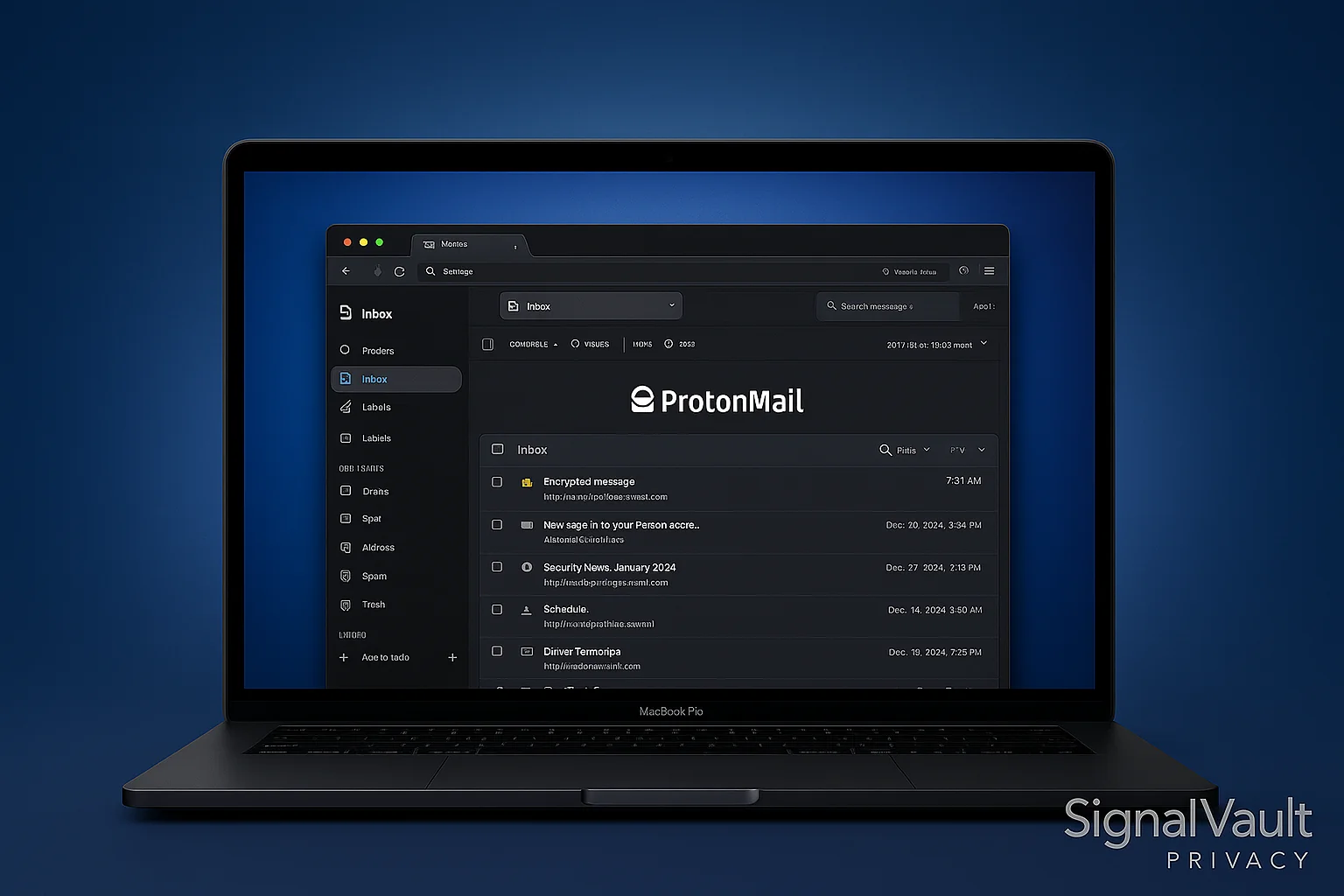
When it comes to secure email providers, Proton Mail still belongs on the short list for privacy-conscious users in 2026. If you’re wondering is protonmail good or is proton mail good, the short answer is yes: Proton Mail is strongest when encrypted email, Swiss jurisdiction, and a broader Proton privacy stack matter more than conventional Gmail-style workflow.
This review helps you decide whether Proton Mail should be your primary inbox, a sensitive-communications inbox, or just one part of a privacy stack. If you’re comparing protonmail vs tutanota, protonmail vs gmail, Proton Mail vs Fastmail, or Proton Mail vs Outlook, use the decision tables below before you move your main address.
Complete Your Privacy Setup: Proton Mail protects email content and account privacy, but it does not hide your IP address or protect every app on your device. If you are building a full stack, compare Proton Mail with NordVPN and a password manager after your inbox decision is clear.
Quick Verdict: Is Proton Mail Worth It in 2026?
Yes, if your first priority is private email. Compare Fastmail first if your first priority is speed, search, calendars, and normal email-client workflow.
Worth It If:
- ✓ You prioritize **maximum privacy** (zero-knowledge encryption, Swiss jurisdiction)
- ✓ You need **end-to-end encryption** by default
- ✓ You want **open-source** transparency
- ✓ You prefer **Swiss privacy laws** protection
- ✓ You are willing to choose privacy over the smoothest conventional email workflow
Consider Fastmail If:
- ✓ You prioritize **productivity features** (better calendar, contacts, search)
- ✓ You need **more storage** (25GB vs 15GB on Plus plans)
- ✓ You want **better mobile apps** (faster, more polished)
- ✓ You want a smoother custom-domain inbox for daily work
- ✓ Features matter more than default encryption
Bottom Line: Proton Mail is worth it for users who prioritize private email and encryption. For users who mainly want a faster Gmail-style replacement with custom domains, Fastmail may fit better.
Best Fit: Proton Mail vs Fastmail vs Tuta vs Outlook
| Need | Best fit | Why |
|---|---|---|
| Privacy-first personal inbox | Proton Mail | Strong encrypted-mail default, Proton ecosystem, and clear privacy positioning. |
| Daily custom-domain work email | Fastmail | Better fit when search, calendars, aliases, and normal email apps matter more than default end-to-end encryption. |
| Encrypted metadata emphasis | Tuta | Worth comparing if subject-line and calendar-data privacy outweigh third-party app compatibility. |
| Microsoft 365 organization | Outlook encryption setup | Best when your team must stay inside Microsoft 365 and can use Purview Message Encryption or S/MIME correctly. |
What is ProtonMail?
ProtonMail is a Swiss-based email service that prioritizes privacy and security above all else. Founded in 2014 by scientists who met at CERN, ProtonMail was created in response to mass surveillance revelations and the need for truly private communication.
Key Features at a Glance
- End-to-end encryption by default
- Zero-knowledge architecture (even ProtonMail can’t read your emails)
- Swiss privacy laws protection
- Open-source encryption
- No personal data collection
- Free tier available
Security & Privacy Features
End-to-End Encryption
ProtonMail uses PGP (Pretty Good Privacy) encryption to ensure that only you and your intended recipient can read your emails. Even ProtonMail’s servers cannot decrypt your messages.
Zero-Knowledge Architecture
This is where ProtonMail truly shines. The company operates on a zero-knowledge principle, meaning:
- They cannot read your emails
- They cannot access your encryption keys
- They cannot decrypt your data
- They have no access to your password
Swiss Privacy Laws
Being based in Switzerland provides several advantages:
- Strong privacy laws that protect user data
- No data sharing agreements with foreign governments
- GDPR compliance for European users
- Legal protection against surveillance requests
Protect Your Entire Connection: Proton Mail protects your inbox, but a VPN protects your IP address and network traffic. If you are building a broader privacy stack, compare Proton Mail with NordVPN for device-level privacy.
Pricing Plans
Proton’s plan names, storage limits, and bundle pricing can change, so use the current Proton plan page before making a purchase decision. The practical decision is simpler than memorizing price points:
- Free account: best for testing Proton Mail and using a dedicated private inbox.
- Paid Mail plan: best when you need more addresses, more storage, custom domains, and Bridge.
- Business plan: best for team administration, shared domains, and organization-level controls.
Plan shortcut: compare current options through Proton Mail before moving your primary email address.
Proton Mail vs Competitors
Proton Mail vs Tuta
When comparing protonmail vs tutanota, Proton Mail offers better third-party email compatibility and a more polished interface. Tuta is more encryption-first in some workflows, while Proton Mail Bridge gives eligible paid users a cleaner path to desktop email clients. Proton Mail’s larger ecosystem and longer track record provide additional confidence.
Proton Mail vs Gmail
For protonmail vs gmail, Proton Mail wins on privacy and encryption, while Gmail offers better integration with Google services and more conventional productivity features. If privacy is your priority, Proton Mail is the clear choice.
Proton Mail vs Outlook
In a protonmail vs outlook comparison, Proton Mail is the privacy-first mailbox while Outlook is the Microsoft 365 workflow mailbox. Outlook can use Microsoft Purview Message Encryption, but it is not the same as a zero-access private-email service. For business users needing secure email for business, compare Proton Mail, Fastmail, and Microsoft 365 before moving a domain.
User Experience
Interface Design
Proton Mail’s interface is clean and intuitive, similar to Gmail but with a stronger privacy focus. The design is modern and user-friendly, making it accessible even for non-technical users.
Mobile Apps
Proton Mail offers mobile apps for both iOS and Android:
- iOS App: Well-designed with Touch ID/Face ID support
- Android App: Native Android design with fingerprint unlock
- Cross-platform sync: Seamless experience across devices
Web Interface
The web interface is responsive and works well on all devices:
- Modern design with dark mode support
- Keyboard shortcuts for power users
- Search functionality with encrypted search
- Custom themes and layout options
Performance & Reliability
Speed
Proton Mail’s servers are fast and reliable:
- Uptime: 99.9%+ reliability
- Load times: Comparable to Gmail
- Attachment handling: Up to 25 MB on free plan, 100 MB on paid plans
Storage
Storage limits are reasonable for most users:
- Free plan: best for testing Proton Mail before moving important accounts
- Paid plans: add more storage, addresses, custom domains, Bridge, and business controls
Pros and Cons
What We Like
-
Unmatched privacy: True zero-knowledge architecture
-
Strong encryption: Military-grade AES-256 encryption
-
Swiss jurisdiction: Strong privacy laws
-
Open source: Transparent and auditable
-
Free tier: Good starting point for privacy
-
No ads: Clean, ad-free experience
-
Cross-platform: Works on all devices
What We Don't Like
-
Limited free tier: 150 emails per day limit
-
No IMAP/SMTP on free plan: Requires paid plan for email clients
-
Smaller ecosystem: Fewer integrations than Gmail
-
Learning curve: Different from traditional email
-
Cost: Paid plans are more expensive than some alternatives
Proton Mail vs Competitors
Proton Mail vs Gmail
| Feature | Proton Mail | Gmail |
|---|---|---|
| Privacy | ✓ Zero-knowledge | ✗ Scans emails |
| Encryption | ✓ End-to-end | ✗ Server-side only |
| Ads | ✓ None | ✗ Targeted ads |
| Storage | ✗ Limited free | ✓ 15 GB free |
| Integrations | ✗ Limited | ✓ Extensive |
Proton Mail vs Tuta
| Feature | Proton Mail | Tutanota |
|---|---|---|
| Jurisdiction | ✓ Switzerland | ✓ Germany |
| Free Storage | ✗ 1 GB | ✓ 1 GB |
| Custom Domains | ✓ Paid plans | ✓ Paid plans |
| Mobile Apps | ✓ Excellent | ✓ Good |
| Search | ✓ Encrypted | ✓ Encrypted |
Who Should Use ProtonMail?
Ideal For
- Privacy-conscious individuals who want true email privacy
- Journalists and activists who need secure communication
- Businesses handling sensitive information
- Anyone concerned about government surveillance
- Users who value transparency and open-source software
Not Ideal For
- Heavy email users who need unlimited sending
- Users who need extensive third-party integrations
- Budget-conscious users who want free alternatives
- Users who prefer traditional email workflows
Additional Privacy Protection
While ProtonMail encrypts your emails, using a VPN adds an extra layer of privacy by hiding your IP address and encrypting all internet traffic. For maximum privacy, combine ProtonMail with a trusted VPN service.
Get NordVPN Now → - Protect your IP address and encrypt all internet traffic
Setup and Getting Started
Creating Your Account
- Visit ProtonMail.com and click “Get ProtonMail Now”
- Choose your plan (start with free to test)
- Create your username (this becomes your email address)
- Set a strong password (you cannot reset it if lost)
- Verify your account via email or SMS
First Steps
- Import contacts from your existing email
- Set up email forwarding from your old account
- Configure your email client (if using paid plan)
- Enable two-factor authentication for extra security
Security Best Practices
Password Security
- Use a strong, unique password for your ProtonMail account
- Enable two-factor authentication immediately
- Store your password securely - you cannot reset it
- Use a password manager to generate and store passwords
Email Security
- Encrypt sensitive emails to non-ProtonMail users
- Use expiration times for sensitive messages
- Verify recipient addresses before sending
- Be cautious with attachments from unknown sources
Conclusion: Is ProtonMail Worth It?
For privacy-conscious users, ProtonMail is absolutely worth it.
The combination of Swiss privacy laws, zero-knowledge architecture, and military-grade encryption makes ProtonMail one of the most secure email providers available. While the free tier has limitations, it’s an excellent way to test the service before committing to a paid plan.
Final Verdict
- Privacy Score: 10/10 - Unmatched in the industry
- Security Score: 10/10 - Military-grade encryption
- Usability Score: 8/10 - Good interface, some learning curve
- Value Score: 7/10 - Reasonable pricing, good free tier
If you value email privacy and can accept a slightly different workflow than Gmail, Outlook, or Fastmail, Proton Mail is an excellent choice. The free plan is useful for testing, while paid plans make more sense when you need custom domains, more storage, Bridge, or business features.
Ready to take control of your email privacy? Try Proton Mail today and compare it with Fastmail alternatives if workflow is your hesitation.
Complete Privacy Protection: For broader protection, combine private email with a trusted VPN and password manager. Compare NordVPN if you also want to protect your IP address and network traffic.
FAQs
Is ProtonMail good?
Yes. Proton Mail is one of the best secure email providers if you prioritize privacy, encrypted email, Swiss jurisdiction, and a broader Proton security stack. Fastmail can be better if your priority is conventional inbox speed, search, calendars, and standard email-client workflow.
Is ProtonMail really free?
Yes, Proton Mail offers a free tier. Use it to test the interface and privacy model. Paid plans are better when you need custom domains, more storage, Bridge, more addresses, or business features.
Can ProtonMail read my emails?
No. ProtonMail uses zero-knowledge architecture, meaning they cannot read your emails, access your encryption keys, or decrypt your data. Even ProtonMail employees cannot access your encrypted messages.
Can I use ProtonMail with Outlook or Apple Mail?
Yes, with Proton Mail Bridge on eligible paid plans. Bridge lets desktop clients like Outlook, Apple Mail, and Thunderbird connect locally while Proton Mail handles encrypted mailbox access. If Outlook itself is the workflow requirement, also read our Outlook encryption guide.
What happens if I forget my ProtonMail password?
You cannot reset your ProtonMail password if you forget it. This is by design for security. You'll lose access to your account and encrypted emails. Always store your password securely in a password manager.
Is ProtonMail better than Gmail?
For privacy, yes. In a **protonmail vs gmail** comparison, ProtonMail offers end-to-end encryption and zero-knowledge architecture, while Gmail scans emails for ads. However, Gmail has more storage, better integrations, and a larger ecosystem. Choose ProtonMail if privacy is your priority.
How does ProtonMail compare to Tutanota?
In a Proton Mail vs Tuta comparison, Proton Mail usually feels more polished and ecosystem-friendly, while Tuta is worth comparing if encrypted subject lines and calendar-data privacy are high priorities. Both can be good privacy-first choices; the better fit depends on workflow and metadata concerns.
Is ProtonMail anonymous?
ProtonMail provides strong privacy protection, but **is protonmail anonymous** depends on how you use it. ProtonMail doesn't require personal information for free accounts, but paid accounts require payment methods. For maximum anonymity, use cryptocurrency payments and don't link accounts to your identity. ProtonMail encrypts your emails but cannot make you completely anonymous.
Is ProtonMail the most secure email service?
ProtonMail ranks among the **most secure email service** options available, with zero-knowledge encryption and Swiss privacy laws. However, Tutanota encrypts more metadata, and some users prefer Fastmail for better features. For the **best encrypted email** provider, ProtonMail excels in encryption strength and privacy jurisdiction.
How does ProtonMail compare to Outlook?
In a Proton Mail vs Outlook comparison, Proton Mail wins for privacy-first email and encrypted-mail positioning. Outlook wins when a team needs Microsoft 365, Exchange, compliance administration, and Microsoft app integration. For Outlook-specific protection, use Microsoft Purview Message Encryption or S/MIME carefully.
Disclosure: This article may contain affiliate links. If you purchase through these links, we may earn a commission at no extra cost to you.